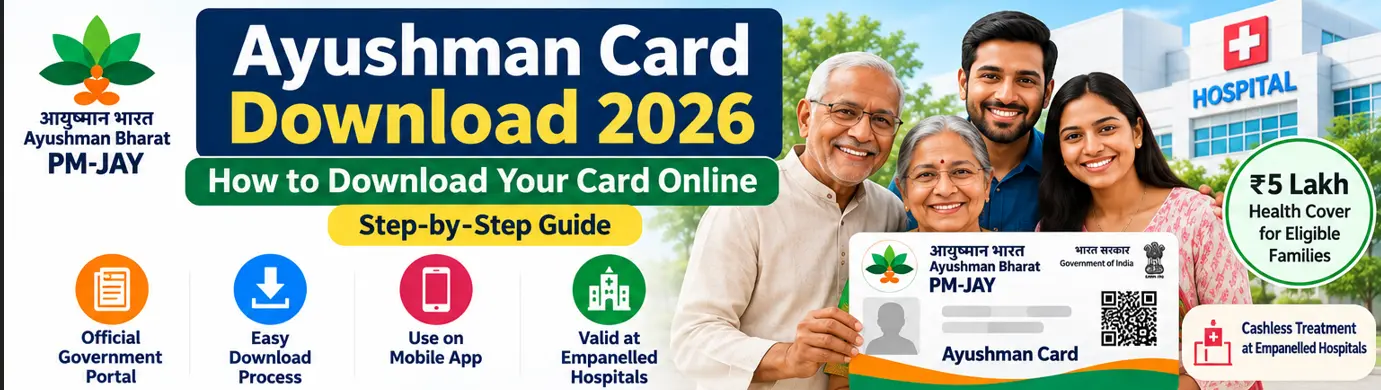
Have you completed your Ayushman Card application but are not sure how to download the card? Or perhaps your card has already been generated, and you want to save a digital copy on your mobile phone.
The process is straightforward once your beneficiary details have been verified and the card has been approved.
Under Ayushman Bharat Pradhan Mantri Jan Arogya Yojana (AB PM-JAY), eligible beneficiaries can access their digital Ayushman Card through official government services. The card helps identify beneficiaries when they seek covered treatment at empanelled hospitals.
In this guide, we explain how to complete an Ayushman Card download using the official beneficiary portal and mobile app, how to get assistance offline, and what to do if the download option is not available.
Quick answer: Visit the official PM-JAY beneficiary portal, sign in using the beneficiary login, search for your verified record and look for the available card download option. You can also use the official Ayushman App. The download option may appear only after the required verification and approval are complete.
What Is an Ayushman Card?
The Ayushman Card is a digital beneficiary identity card associated with PM-JAY. It helps eligible individuals establish their beneficiary identity when accessing covered hospital treatment.
Under the original PM-JAY benefit, eligible families receive health cover of up to ₹5 lakh per family per year for covered secondary and tertiary hospitalisation. The benefit is subject to scheme rules and treatment packages.
The scheme also includes expanded coverage for all citizens aged 70 years and above, irrespective of socio-economic status.
The National Health Authority’s official information describes the scheme as providing cashless treatment at empanelled public and private hospitals, with nationwide portability.
Where Can You Download Your Ayushman Card?
Use the official services below:
| Method | Access |
|---|---|
| PM-JAY beneficiary portal | beneficiary.nha.gov.in |
| Official Ayushman App | Google Play Store or Apple App Store; verify the publisher is the National Health Authority |
| Common Service Centre | Visit a nearby authorised CSC |
| Empanelled hospital | Ask the Ayushman Mitra or beneficiary assistance desk |
The National Health Authority has described digital and assisted channels for beneficiary identification and card services.
How to Download Ayushman Card Online in 2026
Follow these steps if your beneficiary record has already been verified and the card is available.
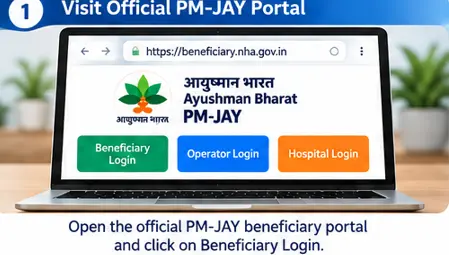
Step 1: Open the official beneficiary portal
Visit:
https://beneficiary.nha.gov.in
Check the website address before entering personal information. Avoid unofficial websites that claim to generate Ayushman Cards.
Step 2: Select Beneficiary Login
Choose the beneficiary login option on the portal.
Enter the mobile number requested and complete OTP verification.
Follow the current on-screen instructions. The portal’s layout and available options may change over time.
Step 3: Search for your beneficiary record
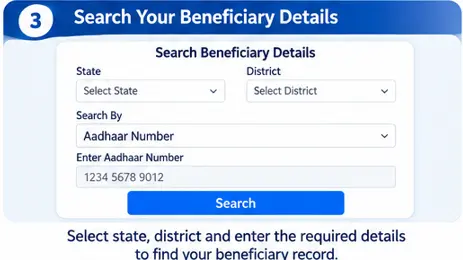
After login, select the appropriate state and beneficiary category and use the search facility.
Enter the information requested by the system. Depending on the available search option, this may include family or beneficiary details and permitted identification information.
Step 4: Select the correct beneficiary
If the system displays a matching record, check the details carefully.
If the card is available, the portal should provide the relevant card or download action. If the system shows that verification is still pending, you may need to complete that process first.
Step 5: Complete e-KYC or pending verification, if required
If the portal asks for additional authentication, follow the instructions displayed.
Do not assume that simply finding your name means that your card has been approved.
Step 6: Download your Ayushman e-card
Once the card is approved and available, select the download option.
Save the PDF to your phone or computer. You can also print a copy for convenience.
Step 7: Check the downloaded card
Open the PDF and verify that the displayed information belongs to the correct beneficiary.
If you notice an error, seek correction through an authorised channel rather than editing the card yourself.
How to Download Ayushman Card Using the Mobile App
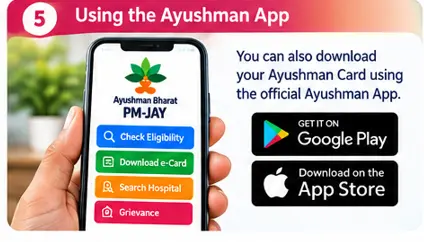
You can also use the official Ayushman App to access beneficiary services.
Follow these steps:
- Open the official app store on your mobile phone.
- Search for the Ayushman App.
- Verify that the publisher is the National Health Authority.
- Install and open the application.
- Select the beneficiary service.
- Complete the login and verification requested.
- Search for your beneficiary record.
- Follow the available card download instructions.
The NHA’s official app information describes beneficiary services such as eligibility verification and e-card download.
Safety reminder: Never share your OTP with an unknown person or install an app sent by an unverified WhatsApp contact.
How Can Senior Citizens Aged 70+ Download the Ayushman Vay Vandana Card?

The expanded PM-JAY coverage includes all citizens aged 70 and above, irrespective of their income or socio-economic status.
Senior citizens can use the beneficiary portal or official Ayushman App to complete enrolment and access their card.
The National Health Authority’s senior-citizen guidance specifies Aadhaar-based e-KYC for enrolment. The card should be downloaded once the applicable verification and approval are complete.
If a senior citizen needs help, a CSC or PM-JAY empanelled hospital can provide assistance.
For a family with more than one eligible senior citizen, the NHA FAQ explains the process for adding other eligible members after the first senior citizen has enrolled.
Can You Download an Ayushman Card Without Visiting a Hospital?
Yes, if your beneficiary record is available, the required verification has been completed and the online system provides the download option.
You can use the beneficiary portal or official mobile app.
However, if your record is missing, your e-KYC is incomplete or your card is awaiting approval, you may need help from an authorised CSC or hospital assistance desk.
What If the Ayushman Card Download Option Is Not Showing?
This is one of the common problems beneficiaries face.
There can be several reasons:
- Your application or e-KYC is still pending.
- The card has not yet been approved.
- Your beneficiary record is not matching the search details.
- You are looking at the wrong family member’s record.
- The portal is temporarily unavailable.
- Additional verification is required.
What should you do?
- Log in again and check the beneficiary details.
- Look for any pending verification or approval remarks.
- Confirm that you selected the correct beneficiary.
- Try the official Ayushman App if the portal is temporarily unavailable.
- Visit a CSC or empanelled hospital for assistance.
- Contact the PM-JAY helpline at 14555 if you cannot resolve the issue.
The NHA has identified 14555 as a beneficiary assistance channel.
Can You Use a Printed Ayushman Card at a Hospital?
The digital e-card or its printed copy can be used as beneficiary identification, subject to the hospital’s verification process.
Before planned treatment, confirm that:
- The hospital is currently empanelled under PM-JAY.
- The required treatment is included in the applicable package.
- The beneficiary’s identity can be verified through the scheme system.
You can search for hospitals through the official
PM-JAY hospital search portal.
Frequently Asked Questions
How can I download my Ayushman Card online in 2026?
Visit the official beneficiary portal, log in, search for your verified beneficiary record and select the download option if the card is available.
Can I download my Ayushman Card on my mobile phone?
Yes. You can use the official beneficiary portal through a mobile browser or the official Ayushman App.
Can I download an Ayushman Card without an OTP?
The available login and verification options depend on the current official system. Complete the authentication requested by the portal or app.
Is the Ayushman Card download free?
Use official government services and authorised assistance channels. Be cautious of anyone demanding unofficial payment in exchange for a guaranteed card.
What if my Ayushman Card is approved but I cannot download it?
Check the beneficiary record again, try the official app and seek assistance at a CSC or empanelled hospital if the problem continues.
Can senior citizens aged 70 and above download the Ayushman Vay Vandana Card?
Yes, after completing the required enrolment, Aadhaar-based e-KYC and approval process.
Is a printed Ayushman Card valid?
A printout of the verified digital card can serve as beneficiary identification, subject to the hospital’s verification process.
Final Takeaway
Downloading your Ayushman Card is the final practical step after your beneficiary details have been verified and the card has been generated.
Use the official PM-JAY beneficiary portal or Ayushman App, save the digital card safely and check that the details are correct. If the download option is missing, find out whether your verification or approval is still pending before trying again.
Remember that having an Ayushman Card is not the same as having every medical expense covered. Always confirm hospital empanelment and treatment-package availability before planned treatment.
At Benefitomics, we want to make government benefits easier to understand and simpler to access.
Related Ayushman Bharat Guides
- Ayushman Bharat PM-JAY Guide 2026: Eligibility, ₹5 Lakh Cover, Card & Hospital Benefits-Pillar post
- Ayushman Bharat PM-JAY Eligibility 2026: Who Can Get ₹5 Lakh Health Cover?
- How to Check Ayushman Card Eligibility Online in 2026
- How to Apply for Ayushman Card Online 2026: Step-by-Step Guide
- Ayushman Card Status Check 2026